Find the supporting details
Keep notices and tenancy documents connected to the correct household, with appropriate access.
Support the rental side of a changing assignment with organized tenancy records. Bring agreements, notices and payment history together so the responsible person can review the next step.
 THE PROPERTY AT THE CENTER
Keep notices and tenancy documents connected to the correct household, with appropriate access.
Bring the agreement and supporting records into your review. A status field does not determine legal eligibility.
Review charges and received payments before assessing a final balance or preparing a lease change.
Watch the walkthrough from the beginning or pick the chapter you need. It includes product screens and illustrations.
Step 1 of 3
Find the tenancy documents and check who can access them. Keep notices and supporting records connected to the correct tenancy.
Find and store documents
Step 2 of 3
Open the agreement and supporting addenda. Check the correct document workflow before preparing anything for signature.
Choose the document workflow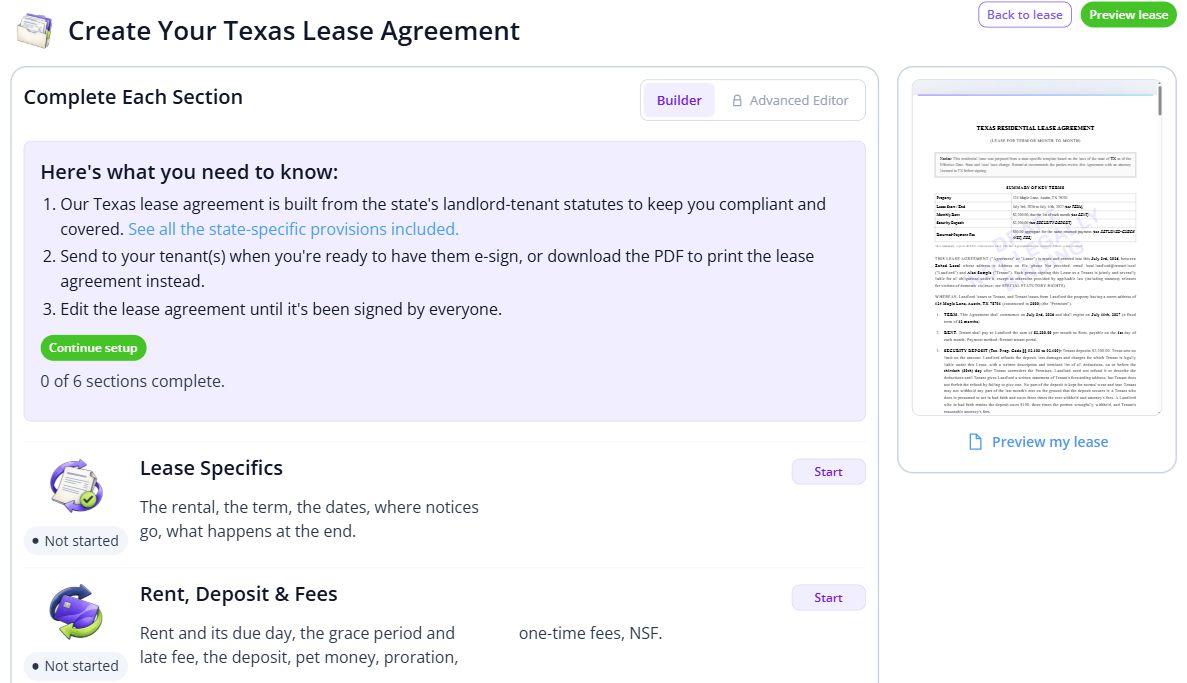
Step 3 of 3
Check charges and received payments before reviewing any final balance. Use the termination-date guide when the situation calls for it.
Use the SCRA date guide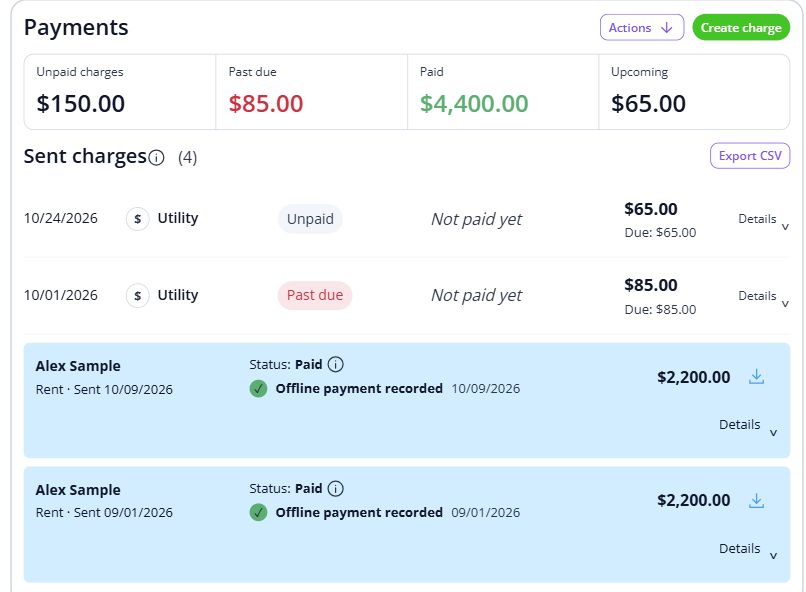

Give each household a familiar point of contact through a move or a new assignment. Keep the records and everyday conversations connected, so the next person has the context they need.
For landlords managing rental homes occupied by servicemembers.
Explore the workspaceA document workflow does not determine legal eligibility. Review the notice, orders and applicable requirements before deciding on a lease change.
Discuss your requirements Servicemembers’ rights information (opens in a new tab)Have these details ready: current agreement and addenda; written notice and supporting records; rent dates and payment history.
 01
Add the property and units, then check their details before bringing in residents.
Property setup guide 02
Review the agreements, opening records and payment readiness for the first tenancy.
Review lease setup 03
Invite residents once the records are ready, and show them how to find rent, documents and repairs.
Tenant invitation guideOpen a step-by-step article with product guidance.
No. Review the request and required supporting information before taking action. The software helps organize the records; a status field alone does not decide a servicemember’s legal rights.
Gather current agreement and addenda, written notice and supporting records, rent dates and payment history. Start with one property, check the records, and then bring in the rest of your portfolio.
No. It uses product screens with sample data. Open the linked Help guides for the steps to follow in your own account.
Review the current pricing page for unit limits, included tools and any payment or screening fees. Check that the plan covers the tasks you do most often.
See plans and feesCompare plans for the properties you manage.