Know which home needs you
Keep separate property records so each household's lease and rental details stay in the right place.
Keep the home, the household and the next step together. Manage leases, follow rent and stay close to resident needs, even when your properties are miles apart.
 THE PROPERTY AT THE CENTER
Keep separate property records so each household's lease and rental details stay in the right place.
Review residents, lease terms and property-specific attachments before sending an agreement.
Distinguish amounts due, payments processing and money received when reviewing the home's rent activity.
Watch the walkthrough from the beginning or pick the chapter you need. It includes product screens and illustrations.
Step 1 of 3
Start with the property itself. Keep rental activity, the lease and the next action in view, with the right home at the center.
Organize your property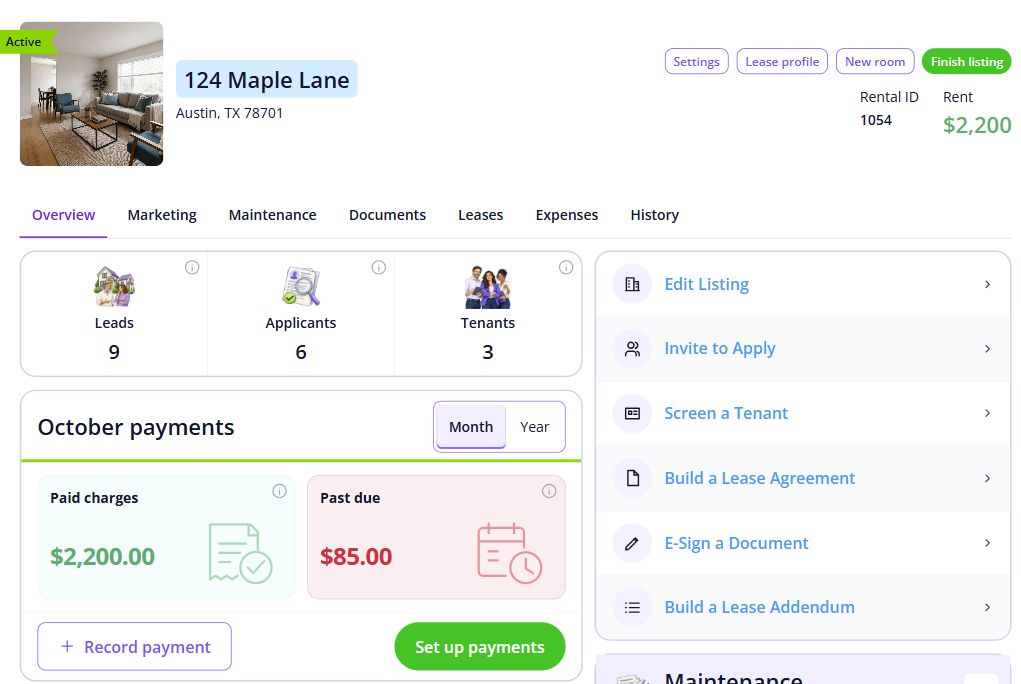
Step 2 of 3
Confirm the address, residents, term and charges. Review the draft and any property-specific attachments before sending it.
Build the lease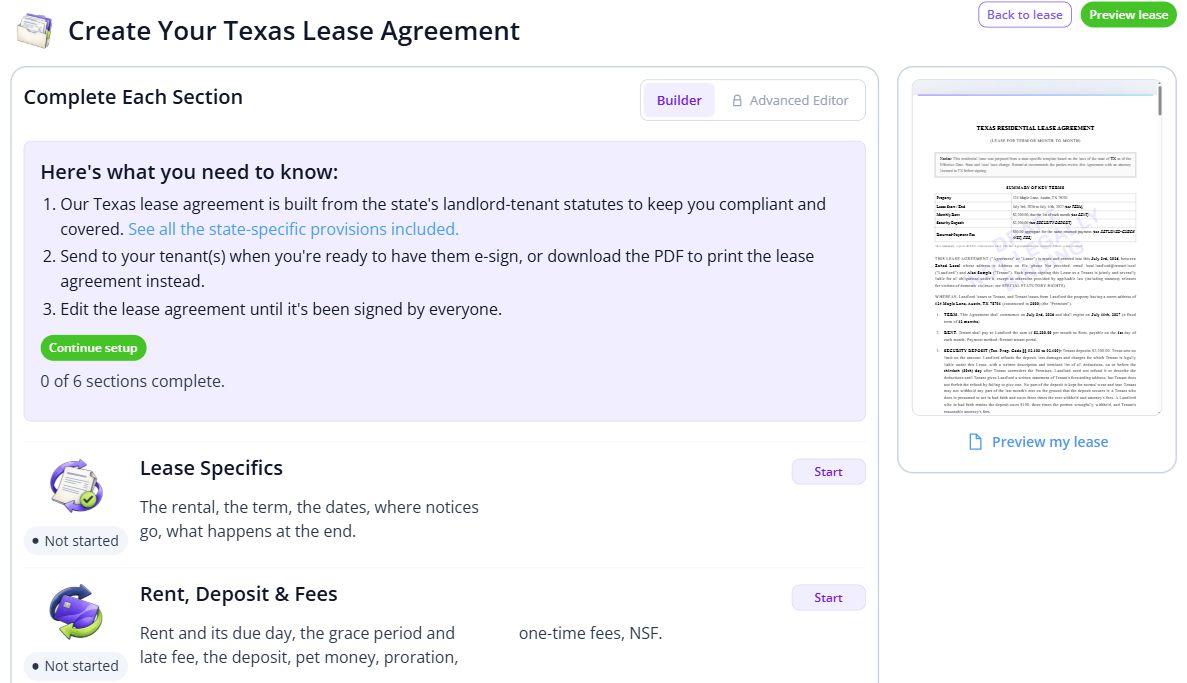
Step 3 of 3
Open rent activity for the lease and distinguish what is due, processing and received. Finish collection verification before asking tenants to pay online.
Prepare to collect online rent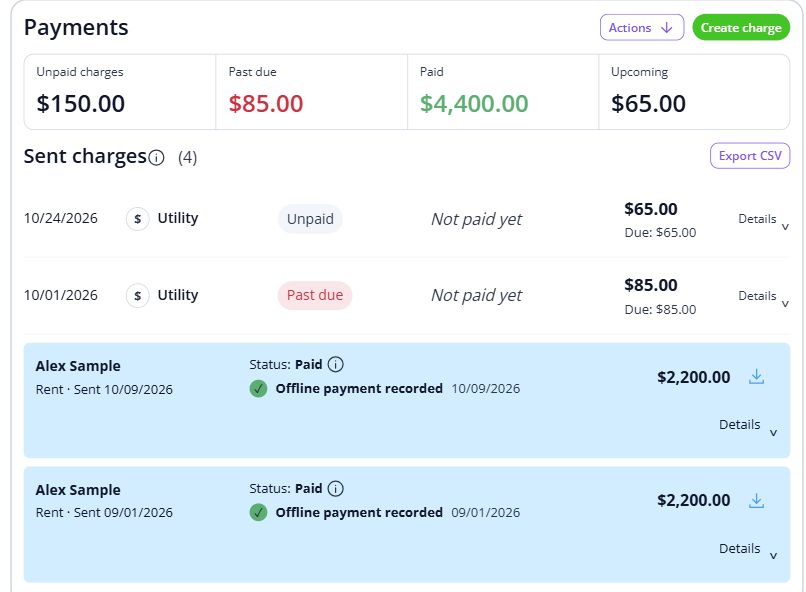

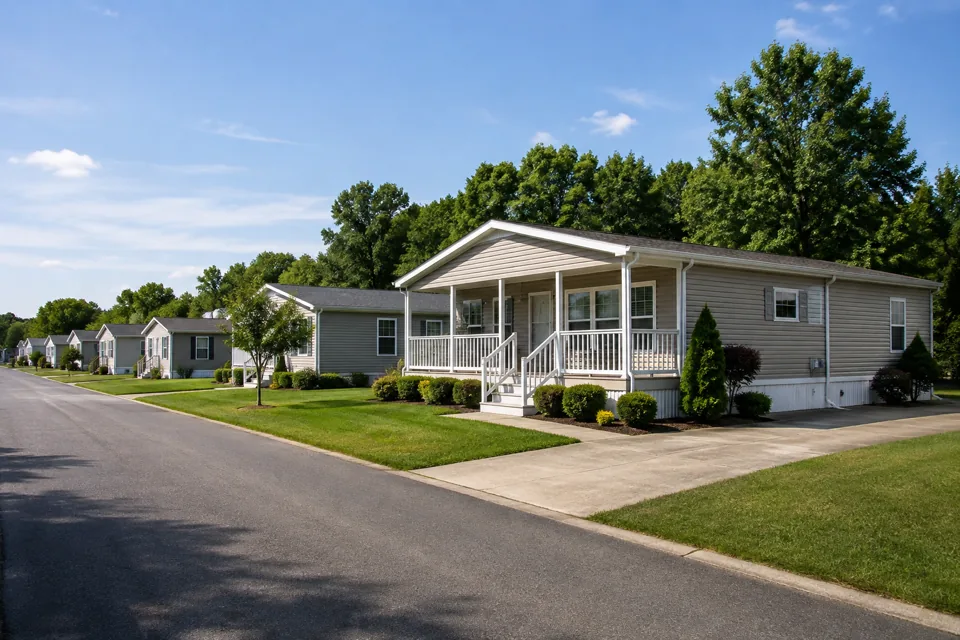
A familiar street, a little outdoor space, and the routines that make a home. Keep the records and everyday conversations connected, so the next person has the context they need.
For landlords managing individual homes, including properties in different locations.
Explore the workspaceReview the lease setup and payment readiness for each home. Decide who will receive resident questions and coordinate local repairs.
Discuss your requirementsHave these details ready: each home’s address; existing lease and balances; local repair contacts.
 01
Add the property and units, then check their details before bringing in residents.
Property setup guide 02
Review the agreements, opening records and payment readiness for the first tenancy.
Review lease setup 03
Invite residents once the records are ready, and show them how to find rent, documents and repairs.
Tenant invitation guideOpen a step-by-step article with product guidance.
Create a separate property record for each home. Check its lease, payment settings and repair contacts individually so one home’s details do not get mixed into another.
Gather each home’s address, existing lease and balances, local repair contacts. Start with one property, check the records, and then bring in the rest of your portfolio.
No. It uses product screens with sample data. Open the linked Help guides for the steps to follow in your own account.
Review the current pricing page for unit limits, included tools and any payment or screening fees. Check that the plan covers the tasks you do most often.
See plans and feesCompare plans for the properties you manage.