Listing Syndication
One Rental Listing.
More Places to Discover It.
Prepare one listing for your two-bedroom rental. Review the available destinations and publishing requirements, then check confirmed placements and follow the first inquiry in Leads.
See how it worksBuilt for landlords and property managers listing a vacancy across networks.
Prepare your listing and review available destinations.
01 · Prepare
Start With the Home.
Make the Details Clear.
Bring the rental’s photos, rent, availability and features into one listing workspace. Review the facts before publishing your Rentari listing or preparing it for other destinations.
AI Drafts. You Review.
Use your property details and photos to draft a headline and description. Write your own copy, edit a line or regenerate the draft before publishing.
Advertising-language checks support your review. Check every property fact and applicable advertising requirement yourself; AI output is not a legal certification.
Try the listing draft tool
02 · Review Destinations
25+ Listing Sites.
Check Each Placement.
Create one listing for Rentari’s advertised coverage across 25+ listing sites. Review which external destinations are available for this property and the requirements for each one.
Keep publication tracking in one place. Confirm which channels are live before relying on cross-posting, and check the actual listing at each confirmed destination.
Advertising on 25+ listing sites requires an eligible paid plan. Review current plan limits and fees.
Know What Has Happened
- Listing prepared
- Your facts, photos and copy are ready for review. A draft is not a published listing.
- Submission recorded
- A destination has a submission to review. A saved submission does not confirm a live placement.
- Placement confirmed
- Check the destination’s actual status and live URL for this rental. Each platform’s approval and requirements still apply.
03 · Follow Up
An Inquiry Arrives.
Keep the Next Step Clear.
Inquiries submitted through your published Rentari listing enter your lead inbox. Keep the rental context, messages and next steps together as you follow up.
External email intake depends on the destination and configured routing. Add other leads manually and continue checking each channel until its intake is confirmed.
AI Suggests. You Decide.
AI can summarize the inquiry’s intent, identify missing details and suggest follow-up. Review the information and lawful criteria yourself, then invite the renter to apply when you are ready.
Optional pre-screen answers are self-reported, not a credit or background report. Eligibility decisions and invitations to apply remain yours.
Review your leads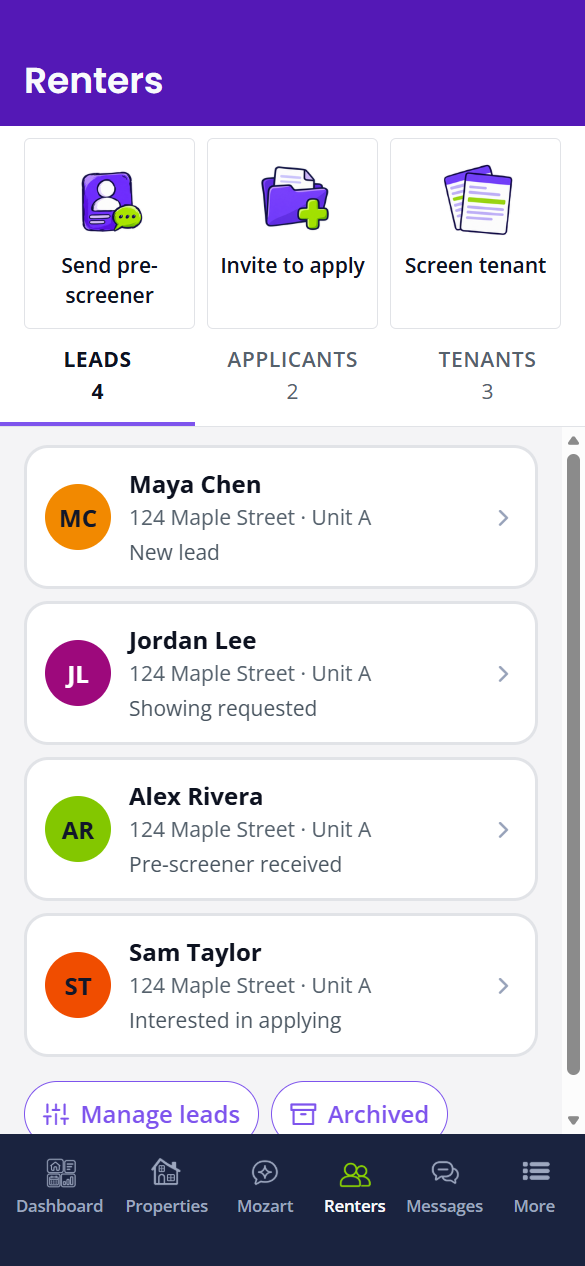
Questions, Answered
Before You Publish
Understand destination availability, inquiry intake and what comes next.
Which rental networks do you publish to?
Do I have to write the listing myself?
How do leads reach me?
How do I move from a listing to a signed lease?
Start with an accurate listing and a supported asking rent. Review the selected rental, photos, details and verification prompts before publishing. Check the public page and each destination's actual status.
- Review and share the listing with an eligible prospect, then review the lead's activity. A sending-service acceptance or link visit does not prove a reply.
- Add showing availability and invite the renter. Confirm the rental, timezone and recorded appointment status; an available window or copied link is not a booking.
- Invite the applicant and check submission progress. Review each co-applicant individually; an invitation is not a completed application.
- Review the screening package, payer and available report alongside the application. A pending request or summary score does not establish approval.
- Prepare and review the lease and attachments, then continue to signature preparation. Generating a draft does not send or sign it; check the document's recorded state.
You review each step. These tools do not guarantee a particular number of leads, a move-in date or legal compliance.
Does starting free mean every vacancy step is free?
Draft a listing for any address.
Draft a headline and description from the details you provide. Review the facts and advertising requirements before publishing; confirm destination availability for your property.
Nothing here is saved, sent or charged, and no real tenant, applicant or vendor is involved. It runs the same models the product runs, so it is rate limited per visitor.
Your Next Vacancy
Ready to Prepare Your Listing?
Start with the rental, review your destinations and follow each inquiry. Advertised coverage includes 25+ listing sites with a paid plan; confirm availability for your property.
Free to start. Upgrade anytime.