- Home
- Guide books
- Finding a tenant
Finding a tenant
Write and photograph the listing, find the channels that work, run tours and review applications consistently.
Chapter 1 Prepare a clear rental listing
Give renters clear, verifiable terms, truthful photos, an easy inquiry path, and a fair-housing review before you publish. Update every copy when the offer changes.
Start with a unit you can accurately offer
Confirm the unit, address, rent, included utilities, lease terms, fees, and a realistic availability date. Finish the cleaning and repairs that affect the offer or a safe showing. If a required repair, inspection, or approval is still pending, do not describe it as complete or promise a move-in date you cannot support. Use the rules and safety requirements that apply to this property.
Record which features belong to the advertised unit. If photos show a model home, staged layout, optional amenity, or different condition, label that clearly rather than letting a renter assume it is included.
Set the asking rent and terms from current evidence
Compare current nearby rentals with similar unit type, size, condition, included utilities, lease term, and availability. Record each source and date. An advertised asking rent is not proof of a signed lease or a guaranteed result for this home. Verify the current fees, disclosures, and rent rules for the address before publishing. Rentari's rental pricing guide and dated market research guide help organize the comparison; the rental property calculator can help model estimates.
Plan the listing around the actual turnover and showing schedule, then check current comparable availability and demand. A national spring-or-summer pattern does not decide the right date for this home. See the local timing checklist and a practical social-post plan.
Write a concise description from verified facts
Lead with the asking rent, available date, bedroom and bathroom count, and the best verified features. State the lease term, utility responsibilities, parking, pet terms, deposits and other charges, and showing or application steps when those details are settled and may lawfully be advertised. Name included appliances and amenities accurately. Check square footage and measurements against a reliable property record.
Keep the wording focused on the home, its terms, and objective location details such as a verified transit stop or travel distance. Do not describe the kind of person or family you prefer. Federal fair-housing law prohibits discriminatory rental advertising; state and local protections may cover additional classes or rules. Review the actual ad copy and the audience settings on any digital campaign.
Use current photos and a truthful walkthrough
Photograph the actual unit after it is ready to show. Include the main rooms and material features in a logical order, with enough context to understand size and layout. Use natural light and simple staging if appropriate, but do not use edits, angles, or captions that hide a condition or make a room appear different. Replace photos after a material change. Identify a model unit or a feature that is not part of the lease. For room-by-room preparation ideas, see the rental staging guide.
Before sharing a photo or video, remove personal documents and avoid showing occupants, identifying belongings, keys, alarm panels, or access codes without proper permission and safeguards. Give a video tour a clear route through the rooms, captions or a written summary, and a contact path for someone who needs another way to view the home. For a step-by-step camera plan, see the virtual rental-tour guide and the rental photo checklist.
Choose channels and keep every copy in sync
Compare a channel's local reach, renter experience, posting rules, fees, and inquiry tools before choosing where to advertise. Use the same verified rent, date, photos, fees, and contact route everywhere. Read each site's current terms and confirm whether your particular post is pending, live, or rejected; an attempted submission is not proof that an ad was published.
Rentari provides listing software and written distribution guides. Use it to prepare listing copy and track each destination's confirmed status and listing link. Confirm each destination's status directly. When a term or availability changes, update every live copy and remove the ads when the unit is no longer available. See where to list a rental and how to compare listing channels.
Review the final words, photographs, illustrations, audience settings and advertising locations under 24 CFR 100.75 and the requirements that apply to the property. Do not use them to express a protected-characteristic preference or exclude or steer renters on that basis. Check current local protections and platform rules, and retain the final ad, settings, destination link and live dates.
Rentari advertises 25+ listing sites on eligible plans; destination availability and acceptance can vary. Verify the live channels for this particular property, and retain each confirmed listing link and publication status.
Connect signs and voluntary referrals to the same listing
Connect a printed sign or flier to the same verified listing. Check local placement rules and any association or property permission, choose a lawful visible location, and test the QR code and typed link while signed out on a phone. Review the exact unit, terms, contact route and availability before printing. A saved PDF reflects the details used when it was created; reprint it when those details change and remove physical materials when the offer ends. Printing is separate from publishing. See printable yard signs, the flier steps and the rental marketing field guide.
A resident can voluntarily share the public listing without passing you another person's private details. Before offering a referral benefit, obtain qualified local review of licensing, compensation, lease and other applicable rules; no universal permission is assumed. If permitted, explain the participants, benefit, qualifying event, timing and recordkeeping in writing. Keep it separate from repairs, deposits, service and public-review sentiment. A referred person still follows the same lawful application criteria. Where a share or endorsement has a material financial connection, check FTC disclosure guidance and the platform's rules. Rentari does not administer or pay a referral reward or ship a sign through these written steps.
Make the next step clear and usable
Test the phone number, email, inquiry form, or application link from a renter's point of view. Say how to request a showing, when a person should expect a reply, which documents are needed later in the process, and how to ask a question or request an accommodation. Do not collect sensitive information earlier than necessary.
Use the same neutral pre-screening questions and written rental criteria for each prospect. A listing can invite people to ask about the home without promising an approval result or steering them toward a different unit.
Run a final review before publishing
- Confirm the unit, rent, charges, availability date, and included features.
- Check that repairs and cleaning match the photos and stated condition.
- Review words, images, and digital-audience settings for fair-housing concerns.
- Protect occupant privacy and test every inquiry and showing link.
- Check each destination after submission and record its live status.
- Update or remove every copy when the offer changes or ends.
For a continuing review after publication, see the evidence-based listing review. Accurate marketing can help renters decide whether a home fits their needs, but it does not guarantee inquiries, a fast lease, or a particular applicant.
Follow the vacancy from inquiry to verified handoff
Keep a named responsible person, next action and dated result for each stage. Rentari supplies software and written guides; it does not fill a vacancy or make the housing decision for you. An inquiry, available showing window, submitted application, screening report and signed agreement are different records.
| Stage | Owner check | Evidence to retain |
|---|---|---|
| Publish | Review property facts and advertising requirements; confirm every destination's actual availability and live status. Advertised 25+ coverage does not establish that this property is live everywhere. | Dated offer, reviewed copy and confirmed destination links; see the listing workflow. |
| Inquiry and reply | Check configured intake and each external channel. Add other leads where needed; review draft replies before sending and give a clear next step. | Rental/contact context, source, actual message and next action in Leasing Inbox; a draft is not a sent reply. |
| Showing | Confirm rental, timezone, lawful access and current booking status. Availability or a copied invite link does not prove an appointment or reminder delivery. | Actual scheduled appointment, cancellation and follow-up in the showing calendar. |
| Application and report | Review each co-applicant, self-reported information and the available report separately using lawful consistent criteria. Verify report identity and dispute issues. | Actual application and screening state; application review and screening workflow. |
| Decision and agreement | Make the human decision and complete required notices. Acceptance is separate from preparing, reviewing and obtaining all required signatures. | Decision/notice evidence, final agreement, signature status and agreed start; see the lease workflow. |
| Close advertising | Update or remove every unavailable offer, notify contacts appropriately and reconcile move-in/access responsibilities with the actual agreement. | Closed destination links, unresolved items and confirmed handoff responsibilities. |
Confirm the selected plan and separately charged services using current pricing. Online rent collection requires a paid plan, completed verification and payment-account setup, with payment fees charged separately; a free account does not make every advertising, screening, signing or collection step free or active. No software workflow guarantees a tenant, a lead count or a deadline for filling a vacancy.
FTC guidance explains permissible housing use and notices when a consumer report contributes to an adverse action. Check applicable local requirements and retain the actual review; an AI suggestion or report does not certify eligibility or legal compliance.
After the agreement, confirm the actual lease, rent schedule, receiving account and available payment options using the collection setup and fee information and the payment review steps. Keep charge status, payment processing and payout status separate. Recording money received outside Rentari updates a record; it does not collect or transfer funds. A signed lease, scheduled charge or payment instruction does not establish that rent was received or deposited. Review the actual status and reconcile supporting records before calling the handoff complete.
Measure the path from inquiry to an actual lease
Lead generation means helping renters discover the available home and take a usable next step. Review the results over the same dated period for the same unit and offer. Record each inquiry's source, first response, showing attendance, completed application and eventual agreement; count duplicate contacts from the same household once in the overall total and keep unknown sources visible.
Separate exposure from progress. Cost per inquiry is the period's promotion spend divided by unique inquiries; inquiry-to-showing conversion is attended showings divided by unique inquiries. If the denominator is zero, record the rate as unavailable. Record spend and staff time separately, and note changes in rent, availability or channel coverage before comparing periods.
Investigate the stage where progress slows: confirm live exposure when inquiries are scarce, clarify terms and test replies when inquiries do not become showings, and check application instructions when interested visitors stop before applying. These are hypotheses to check, not reasons to reject a renter or proof that an advertisement caused the result. Use property facts and the same lawful criteria rather than demographic profiles. The existing housing-advertising rules also address discriminatory selection of advertising media or locations. Keep private application and accommodation information out of marketing reports.
Sources and further reading
Also online: Prepare a clear rental listing
Chapter 2 Write a Rental Listing That Answers the First Five Questions
A renter should understand your listing before sending a message. Repeated basic questions often reveal missing information that you can fix in the advertisement. Build the description from the current offer and property records, then check what a reader can actually find.
Answer five questions with verifiable details
- What is being offered? State whether this is a whole home, apartment or room in a shared home. Include the bedroom and bathroom count and full property address with the unit.
- What does it cost? Separate base rent, required recurring charges, variable utilities and move-in costs. Check the amounts against the reviewed offer and lease packet.
- When is it available? Use a date supported by the turnover plan. If work or possession is unresolved, explain the uncertainty instead of promising a firm handoff.
- What is included? Verify parking, laundry, outdoor space and other advertised features for this exact unit. A photograph of shared amenities should not imply exclusive use.
- How does someone take the next step? Give the tour route, contact method and application-process link. Identify who answers the inquiry.
Describe the home rather than your preferred occupant. Review advertising rules before using language that could discourage a protected group. Avoid claims such as safest that you cannot substantiate.
Work through a complete cost example
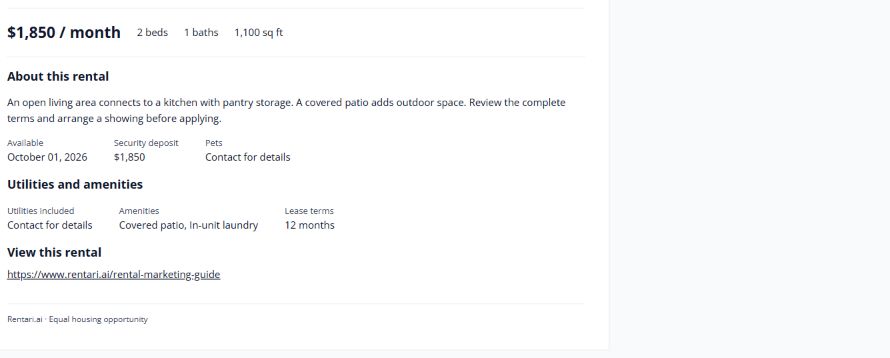
Suppose a hypothetical, reviewed offer has $1,650 base rent, a required $25 monthly service charge and one included parking space. Electricity is paid separately and varies with use. The known recurring total is $1,675, not $1,650; electricity cannot honestly be folded into a fixed total without a basis.
A clear draft is: Two-bedroom apartment with in-unit laundry and one included parking space. Base rent is $1,650 plus a required $25 monthly service charge, for $1,675 in known monthly charges. Electricity is separate. Available [verified date]. Request a tour through [working link].
Complete the listing with the actual address and unit, lease length, reviewed move-in costs, application costs and other relevant terms. The example is a way to present a verified offer, not a proposed fee policy. If a required amount is still unknown, resolve it before calling the offer complete.
Match each promise to evidence
Use a short internal draft review:
- Match rent and recurring charges to the current approved offer.
- Match included equipment and spaces to the unit inspection and current photographs.
- Match availability to the person responsible for turnover.
- Match tour and application instructions to the live destination pages.
If a photo shows a washer that has been removed, replace the photo and copy together. If a syndication destination still shows last month's price, keep that channel open on the correction list even though the master listing is fixed.
Publish, then test the public version
Read the listing on a phone and follow its contact link. Ask someone unfamiliar with the property to find the known monthly charges, available date and tour instructions without help. Improve any line they cannot locate.
Keep one dated master description and record which channels received each change. Track repeated questions after the update so the next edit addresses a real information gap. Clear copy helps people decide whether to inquire; it cannot guarantee a lease.
Sources and further reading
Source review: September 24, 2026. Check current requirements before acting.
Continue with a related task
Also online: Write a Rental Listing That Answers the First Five Questions
Chapter 3 How to Take Clear, Honest Photos of a Rental
Use balanced light, level framing, and a room-by-room sequence to show the actual rental clearly without distorting its layout or condition.
Prepare the actual unit
Photograph the unit that is actually available, after ordinary cleaning and safety work are complete. Move temporary clutter that blocks a useful view, but do not cover damage, remove a fixture from the image, or rearrange a room to imply extra space. Turn on the room lights, open curtains where practical, and secure personal papers, keys, access codes, medication, and valuables.
If a resident still occupies the home, coordinate access and protect their privacy. Avoid including people, family photos, mail, or identifying belongings without permission. A camera-ready room should still look like the real home a prospective renter will visit.
Balance daylight and room lighting
Daylight usually makes it easier to see the room's colors and surfaces. Choose a bright part of the day, open blinds or curtains, and turn on fixed lights if they help reveal darker corners. Take a test photo and check the window and interior together; a bright window should not leave the rest of the room unreadable.
Hold the phone steady and tap the important part of the scene to check exposure. Avoid a harsh flash when it creates glare or a bright spot, and keep edits modest. Correcting a small exposure or color cast is different from changing the apparent condition, view, or brightness of the home.
Show how the rooms connect
Start near a doorway or corner so the viewer can understand the room's shape and how it relates to the next space. Photograph the main view first, then add a smaller number of close views for useful details such as storage, appliances, or a work surface. A sequence that follows the home's layout is easier to understand than several nearly identical angles.
Include the important parts of compact rooms as clearly as possible. If one frame cannot show the bathroom or kitchen without distortion, use two honest views and let the description explain what the pictures cannot establish. Photos do not confirm dimensions, private access, or whether an amenity is included; state those facts separately.
Keep lines level and perspective natural
Hold the phone upright and level. Use the camera grid or a stable support to keep door frames and window edges vertical and the horizon straight. A tilted camera can make an ordinary room look skewed.
Use a moderate wide view when the room is small, and step back when there is safe space. If an ultra-wide lens bends edges or stretches furniture near the frame, switch to the standard lens and take another view. Show more of a room without suggesting that it is larger than it is.
Keep the pictures faithful to the listing
Do not digitally remove a defect, add a feature, replace a view, or alter a room's apparent size. If a feature has changed since the picture was taken, replace the image or explain the difference before publishing. Label a shared laundry room, courtyard, or fitness area as a community amenity rather than implying that it belongs to the unit.
Keep an unedited original with the listing record. If you use virtual staging or substantial editing, check the platform's disclosure rules and applicable requirements, and make the change clear to viewers. A photograph should help someone understand the home, not substitute for a condition report.
Order the gallery and review it on a phone
Lead with a clear view of the actual unit, then arrange the remaining photographs in the order someone might walk through it: entry, living area, kitchen, bedrooms, bathrooms, storage, and any outdoor or shared spaces. Remove duplicates and blurry images. Use short captions for details that are easy to misunderstand, especially shared amenities and features with limits.
Before publishing, review the finished gallery on a phone and a larger screen. Check that each image is current, upright, readable, and consistent with the rent, availability, and written description. Follow the platform's image requirements and review the words, photos, and ad delivery under the applicable fair-housing rules; HUD's Fair Housing Advertising guidance includes rules for visual aids, and state or local protections may add requirements.
Sources and further reading
Also online: How to Take Clear, Honest Photos of a Rental
Chapter 4 Find Which Listing Channels Produce Useful Inquiries
A channel with the most messages may not produce the most attended tours. Compare the steps after the message using the same property and reporting period.
Compare common places to post
Choose channels based on the rental, where local renters search, and the work you can keep accurate. Posting in more places also means more listings to update and more inboxes to monitor. Features, coverage, fees, and rules change, so verify the current instructions before publishing.
- Your Rentari listing page and direct sharing: Keep one accurate destination to share from your website, social posts, flyers, or QR sign. Check the selected rental, link, availability, and publication status in Track listing.
- Rental search sites such as Apartments.com: Renters are already browsing available homes. Confirm whether you publish directly or through a partner, which sites actually display your listing, what each channel costs, and where its inquiries arrive.
- Rent.com: Its current guidance sends owners of single-family homes and rentals with fewer than 25 units to Redfin Rental Tools. Verify the current route, eligibility, costs, and lead handling before relying on an older posting guide.
- Local classifieds such as Craigslist: Choose the correct local site and housing category. Check the fee displayed for your location, how long the post remains active, how people contact you, and how you will update or remove the ad.
- Social and community channels such as Facebook Marketplace or local groups: Rental support and group rules can vary. Confirm that rental posts are allowed in your location, then keep the listing factual and fair-housing compliant. Treat replies as a separately managed source unless you have confirmed a connected lead workflow.
Do not choose a site from a large audience claim alone. Check that a renter can open the live ad, see accurate costs and availability, and reach a clear next step. Then compare unique inquiries, attended tours, completed applications, and actual promotion costs over the same period.
Start a modest source log
Record each household's stated source, first contact date, property, and next step. Use a private reference number rather than copying sensitive application details into a marketing spreadsheet. Keep unknown sources labeled unknown.
One household may contact you through three sites. Count it once in the overall total and document your attribution rule. First known source is workable when applied consistently, but does not prove later channels had no influence.
Compare meaningful stages
Track appointments booked, attended tours, and completed applications. Keep withdrawn and incomplete applications separate. Do not use protected characteristics to label leads. Set a response window, a few factual questions tied to the rental terms, written criteria, and the next step for every inquiry before publishing. Apply the same process to each prospect; do not infer eligibility or fit from a social profile. For a consistent listing-to-screening handoff, see Rentari’s guide to preparing an accurate rental listing.
Record actual promotion costs separately. Ten attended tours from $200 of promotion equals $20 per attended tour in that period. It does not measure applicant eligibility or guarantee a tenancy.
Test paid promotion with a defined scope
Paid search, promoted social posts, and paid listing placement add a cost and may rely on automated delivery. Treat each as a separate, time-limited trial: write down the budget cap, run dates, property, destination page, and result you plan to measure before launch. Confirm billing, placement eligibility, pause and end controls, and source reporting. Stop or update the campaign if the terms change or the unit is no longer available.
For housing ads, review the platform's current audience and delivery settings as well as the visible copy. Do not configure filters, exclusions, or delivery goals to discourage or steer people based on a protected characteristic. Review 24 CFR 100.75 and the requirements that apply to the property; state and local protections may add to federal rules. Keep paid promotion costs separate from organic shares and compare the same meaningful renter actions over the same period.
Decide what deserves another trial
Check listing accuracy and response coverage before blaming a channel. A wrong phone number can make a productive source look weak. Compare several periods and note changes in price, availability, and demand.
Use a defined budget for the next trial. Review the whole path from advertisement to application instead of buying more exposure solely because a dashboard reports a large audience.
Sources and further reading
- Craigslist posting steps
- Craigslist posting fees by location and category
- Apartments.com guide to listing a rental
- Rent.com current listing routes
- Rentari Rental Marketing Guide
- Rentari listing syndication
- Rentari fair housing guide
- eCFR: discriminatory rental advertisements, 24 CFR 100.75
- Prepare an accurate, welcoming rental listing
Source review: October 9, 2026. Check current requirements before acting.
Continue with a related task
Also online: Find Which Listing Channels Produce Useful Inquiries
Chapter 5 Make Rental Tours Easier to Book and Attend
A viewing request can stall between a vague reply and a confusing arrival. A clear appointment process helps prospects decide and helps you use your time well.
Offer specific options
Provide two real time slots or a working scheduling link. State the time zone for relocating renters. Explain whether the visit is in person or live video.
Review showing requirements against applicable law and apply them consistently. Make any costs or required steps clear before someone commits time.
Send practical arrival instructions
Confirm the full address and unit, meeting point, parking, expected duration, and contact for delays. Keep occupied-unit access details out of general messages. Confirm the availability of any concierge or local representative.
Provide a route for alternative arrangements and accommodation requests. A prospect unable to use your scheduling app needs a workable contact option.
Close the loop
Record attended, rescheduled, canceled, and missed appointments separately. Follow up with the application process and disclosed costs. A missed appointment calls for a factual check rather than a character judgment.
Look for repeated failures. Several people missing an entrance suggests better directions; repeated conflicts with available times may suggest wider coverage. Improve a verified obstacle before changing the rental offer. Record what changed so the next review can distinguish a process improvement from a change in demand.
Continue with a related task
Also online: Make Rental Tours Easier to Book and Attend
Chapter 6 Build a Consistent Rental Application Review Process
A written review process helps you explain what information matters and handle comparable applications consistently. Start before advertising, not after seeing an applicant you like. The practical goal is a file that shows what was received, what was verified and what still needs an answer.
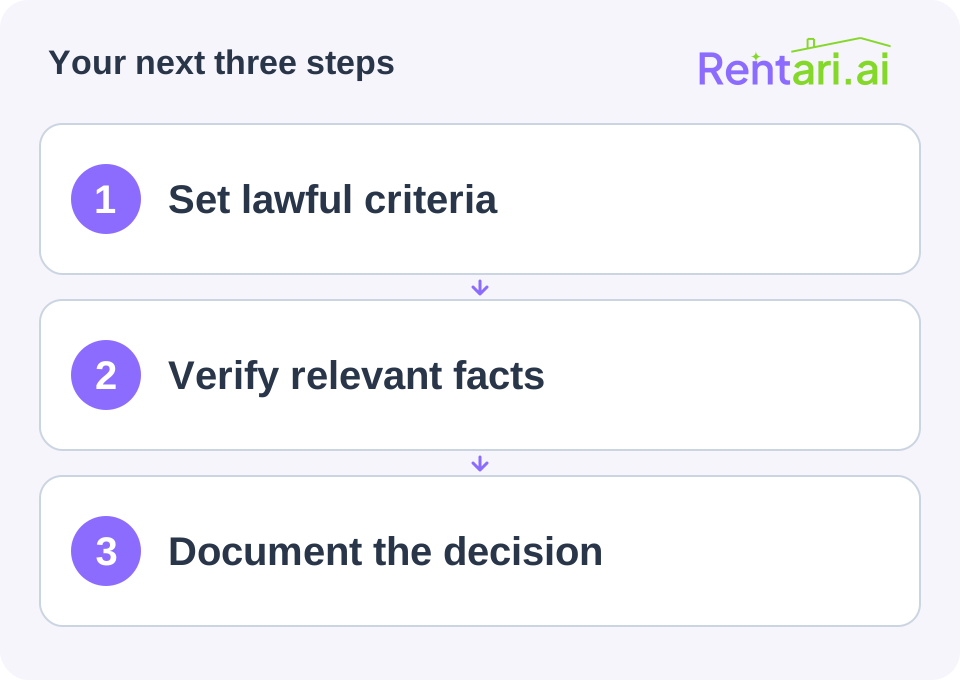
Define the process in advance
Have applicable criteria, application order, fees, documentation options and accommodation procedures reviewed for your jurisdiction. Do not borrow another landlord's numerical cutoff without checking whether it is appropriate or lawful for your situation.
Explain the process to applicants in plain language. Identify what makes an application complete, who may resolve missing information and which secure channel applicants should use. Keep a version identifier for the process so the reviewer can tell which instructions applied to a file.
Separate the evidence from its status
For each required item, record four things:
- Requirement: the item called for by the reviewed process.
- Evidence: a reference to the document or verified response in the secure file.
- Status: received, awaiting clarification, disputed or verified, with the date checked.
- Next action: the precise question, responsible reviewer and next update date.
Received and verified are different. A missing document is not a verified negative fact, and a name match alone should not establish that a record belongs to the applicant. Review the report behind a score and mark unresolved questions rather than filling gaps with assumptions.
Work through an incomplete file
Consider a hypothetical file, A-104. The reviewed process asks for a specified reporting period, but one uploaded document covers a different period. A rental reference has not responded. Nothing in those two observations determines eligibility.
The reviewer records two separate tasks:
- Document period: Received file D-02; period does not match the requested period. Ask for the correct period or an allowed alternative through the secure channel. Keep the original upload and record the clarification.
- Reference response: Contact attempt recorded; no response received. Follow the established retry or alternative-verification process. Do not label the reference negative or treat silence as a verified fact.
If the applicant reports an error in a consumer report, record the dispute and route it through the designated process. If an accommodation request arises, use its separate confidential review route. A generic missing-document reminder is not a substitute for either workflow.
Make a handoff another reviewer can follow
A useful handoff says: A-104 has two unresolved evidence items; D-02 needs period clarification and reference R-01 has not responded. The assigned reviewer will update the file after the next documented step.
It should not say: The applicant seems unreliable. Keep comments tied to evidence, avoid protected-characteristic judgments and do not copy sensitive reports into casual messages. Limit access to the people responsible for the review.
Record the reviewed outcome and communication
Use the same decision record for comparable applications: criteria version, evidence reviewed, unresolved items, outcome, date and responsible reviewer. This article does not supply an eligibility score or a substitute set of criteria.
The FTC explains that unfavorable decisions based partly or entirely on a consumer report can require an adverse-action notice. Use its guidance and applicable local requirements rather than a generic rejection text. Track the required communication separately from completion of the internal review.
Review the workflow after errors or disputes. Consistency means applying lawful rules carefully, including required accommodations, rather than mechanically repeating a flawed rule.
Confirm intake before ordering reports
Match the invitation to the actual rental, unit and reviewed application instructions. Keep submission, any lawful fee and payer disclosure, required authorization or certification, report request, returned evidence and reviewed decision as separate statuses. A fee payment is not a substitute for a permissible housing purpose or any required authorization. Do not collect unrelated sensitive information just because a form offers a field.
How should I explain the application review timeline?
Explain the actual stages, missing information, outside dependencies and next update. Follow applicable local deadlines and the reviewed process. Automation and a generic one-to-three-day estimate do not guarantee a decision.
Sources and further reading
Source review: September 24, 2026. Check current requirements before acting.
Continue with a related task
Also online: Build a Consistent Rental Application Review Process
Chapter 7 How to communicate a rental application decision
Finish the evidence review before communicating the decision. Keep the reasons factual, confirm next steps for an approval and provide required notices when consumer-report information contributes to an unfavorable outcome.
Complete the review before writing the message
Confirm that the information belongs to the applicant, review any discrepancy and apply the lawful criteria established for the property. Separate an incomplete application from an available report with a disputed record. Avoid recording unsupported labels or conclusions that cannot be traced to evidence.
Apply reviewed criteria instead of personal impressions
Use the lawful written criteria and application order for the actual rental. A showing conversation, preference for a particular household or general impression of a good fit is not a decision rule. Consider current fair-housing protections, local limits and accommodation requirements before applying a condition.
Clarify the relevant payment resources, permitted evidence, references and conduct rules. A universal credit cutoff or income percentage copied from another landlord does not establish eligibility. A missing reference, eviction filing or criminal-record match needs its appropriate evidence and lawful-use review. Use the seven-area screening checklist and application field guide before recording the outcome.
For an approval, explain the remaining steps
Confirm the rental, proposed lease terms and the next action. Explain any remaining documents, signatures or lawful payments without implying that a tenancy has already started. Check whether additional conditions based on a consumer report trigger an adverse-action notice even when you are willing to proceed.
For an unfavorable report-based decision, use a complete notice
The FTC identifies denial, higher rent, a higher deposit or a required co-signer as examples of adverse action when based partly or completely on a consumer report. Provide the reporting company details and required consumer-rights information. Additional disclosures apply when a credit score is used. Check any extra local requirements rather than treating a generic rejection email as sufficient.
Make correction channels clear
Explain the appropriate contact for questions about the decision and for report disputes. The reporting company handles its report accuracy process; it does not make the landlord’s decision. Keep delivery records and protect the applicant’s information when communicating.
Adapt the message to the actual stage
Replace every bracketed item, confirm that the statement is true and review required wording and timing before sending. These courtesy messages do not replace an adverse-action notice or another required communication.
- Approved for the next step: We have completed the application review for [full address and unit]. The next step is [reviewed lease or other specific action]. Please use [verified channel] by [applicable response date]. [Explain any remaining condition accurately.] This message does not confirm a signed lease or permission to move in.
- Still under review: Your application for [address and unit] remains under review while [specific outstanding item] is resolved. We will provide the next update through [channel] by [date]. Please use [secure response route] for [needed information].
- Decision communicated: We have completed the review for [address and unit] and will not proceed with this application. [Include the verified information and separate required notice appropriate to the actual decision.] Contact [responsible reviewer] through [channel] with questions about the decision; use the reporting company details in the required notice for report disputes.
If another application is being finalized, describe the actual availability and process truthfully. Do not promise a reserved rental, hide a completed decision or keep taking applications and charges without checking the applicable rules. A reply, approval, lease preparation, signature and authorized move-in remain separate events.
Keep the file understandable
Retain the application, relevant authorized reports, verified decision factors and required communications under the applicable retention rules. If a decision changes after an error is resolved, preserve a clear record of what changed. A later reviewer should be able to follow the facts without reconstructing them from scattered messages.
Your next-step checklist
- Resolve material discrepancies
- Document the decision basis
- Confirm approval conditions
- Send complete required notices
- Keep communication records
Sources and further reading
Also online: How to communicate a rental application decision